This is part 6 in a series on machine learning. You might want to start at the beginning if you just arrived here.
Having run a linear regression over some very trivial data in the previous post we can now make the data slightly less trivial. Let’s take the driving distances table we looked at in an earlier post and assign the values to the xvals and yvals arrays in our experiment. Overwrite the xvals and yvals assignment statements with these:
# Add great circle distances (X) and driving times (Y) for some cities
xvals = np.array([348,1226,2297,1671,827,1083,831,1356,229,1239]).reshape(-1,1)
yvals =          [339,1187,2340,1620,859,1160,879,1384,239,1220]
Now we’ll split the arrays into two parts, one for training the model and one for testing the quality of the model. It is important to do so to check that the model we create can make reasonable predictions and isn’t simply parrotting back the inputs we gave it – something called overfitting.
To see what overfitting might look like, imagine a training set that consists of the following elements:
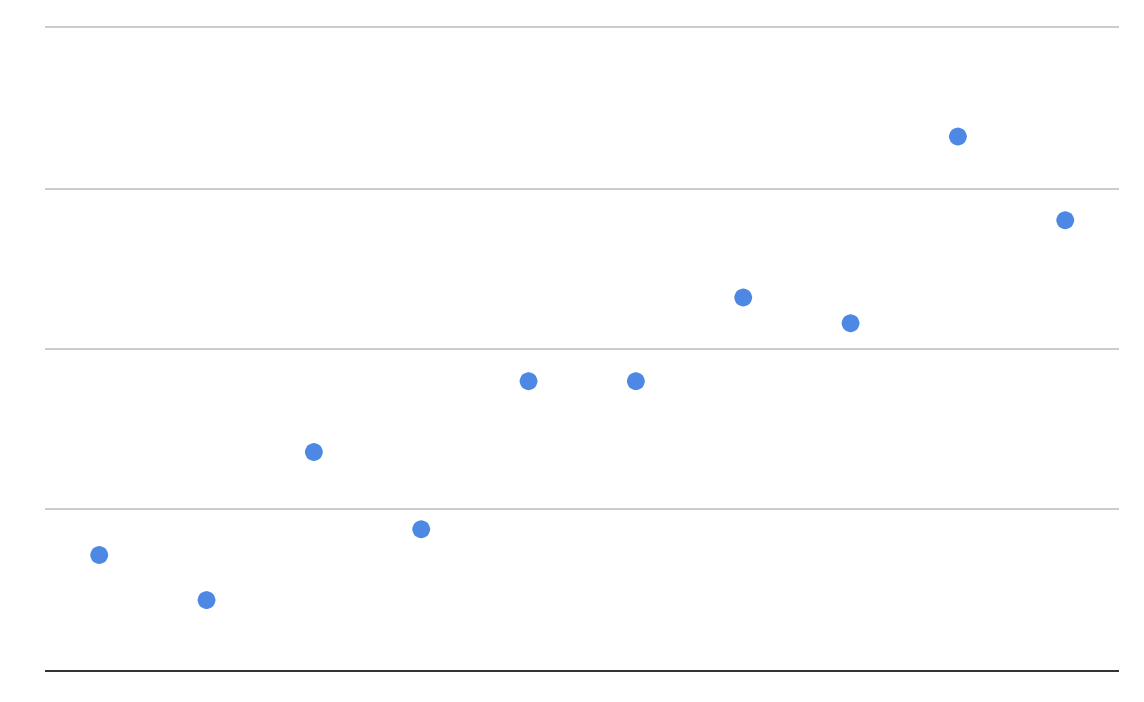
An overfitted model might look like the following:
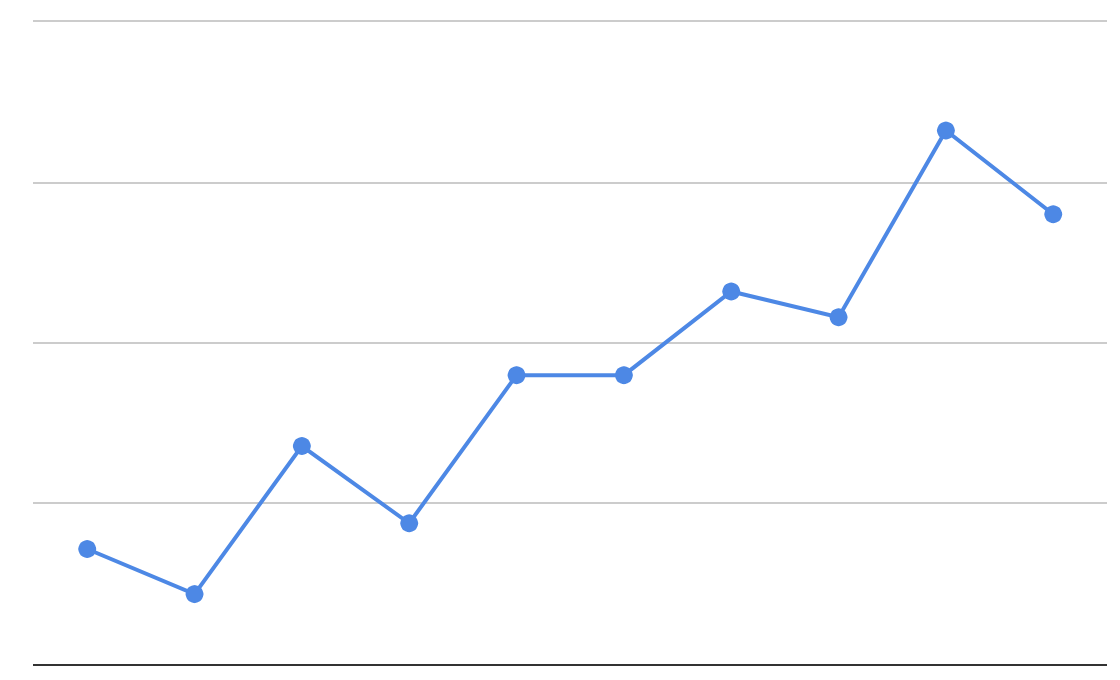
If we check the overfitted model based on the training data then it comes out with perfect scores, as it will perfectly return the y-values that it was trained with. However, it is overly complicated and there’s no evidence to support the specific varied paths that it takes between the elements.
A more properly trained model might look like this:
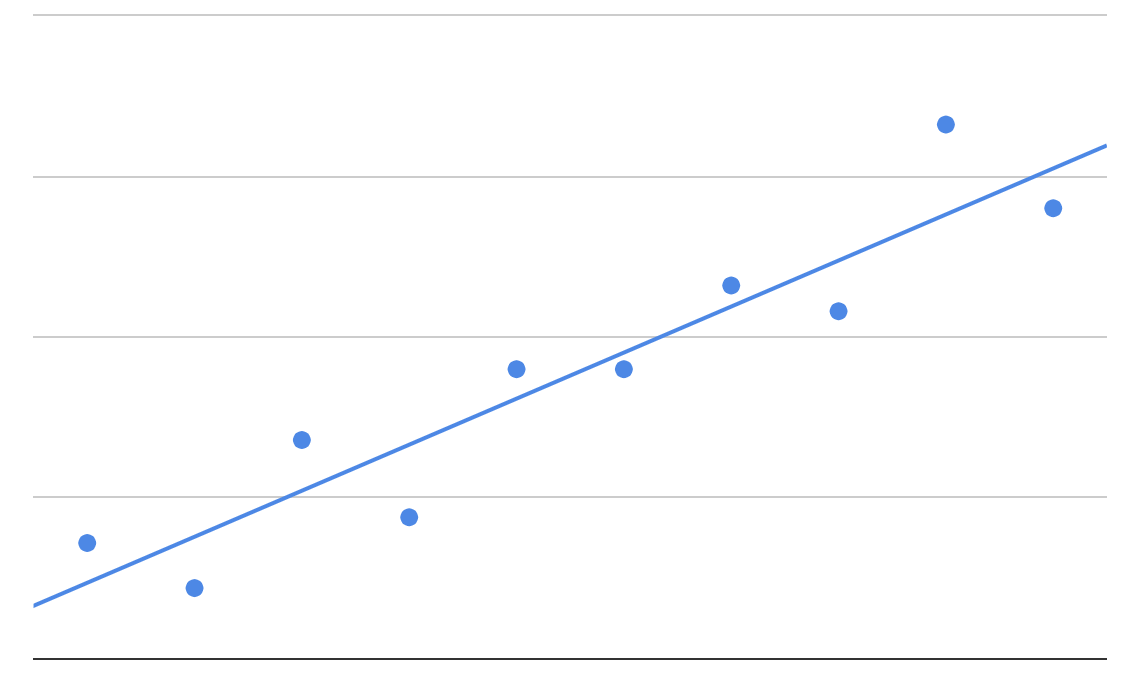
If we check that model based on the training data then it doesn’t get such perfect scores. However, it is a more reasonable model based on the apparent variability in the training data, and it produces more justifiable predictions for data that wasn’t seen during the training phase.
So let’s get back to our experiment. We’ll create arrays called x_train and y_train for the training data, and x_test and y_test for the test data. We’ll use a function called train_test_split to do this. It places a randomly chosen proportion of the supplied elements (75% by default) into the training data, and the remaining into the test data. Randomly selecting data is important as it reduces the likelihood of bias in the training data – which might occur if the input elements were approximately sorted and the first 75% were chosen to make up the training data. It also removes the risk that the data scientist consciously or subconsciously steers the experiment unfairly – for example by removing some awkward elements from the testing data in order to make the model look more successful.
To use train_test_split, add these lines after the definition of xvals and yvals:
from sklearn.model_selection import train_test_split
x_train, x_test, y_train, y_test = train_test_split(xvals, yvals)<br>
and replace the call to model.fit with:
model.fit(x_train, y_train)
After training the model, print out the coefficients that the model used followed by a random prediction from the test data:
# Print the model coefficients
print('Coefficients: \n', model.coef_)

# Predict a city
print("X:", x_test[0][0])
print("Y:", y_test[0])
print("Prediction:", model.predict(x_test[0].reshape(-1,1))[0])
Add a new code cell that scores the model on the test data:
model.score(x_test, y_test)
The score is called the coefficient of determination and it indicates how well the model predicted the y-values in the test dataset. A perfect score is 1.0. A score of 0 would be achieved by a model that just returned a constant number without considering the x-values in the test dataset at all. Negative scores are even worse!
And finally add a code cell that prints the model as a blue line and the test data as black dots:
import matplotlib.pyplot as plt

# Make predictions using the testing set
pred_test = model.predict(x_test)

# Plot outputs
plt.scatter(x_test, y_test,  color='black')
plt.plot(x_test, pred_test, color='blue', linewidth=3)

plt.xticks(())
plt.yticks(())

plt.show()
Run your experiment from the start using the re-run button on the toolbar:

The predicted y-value that is printed for the first city in the test dataset should come fairly close to the true y-value that’s printed. And the score should be reasonably close to 1, probably over 0.99.
If you keep re-running the experiment you’ll see that the model coefficient changes slightly each time as the training data changes. Also the first city in the test dataset keeps changing, and the graph looks slightly different each time.